ace55 App — Cricket, Casino & Crash in Your Pocket
The ace55 app brings the full betting and casino experience to Android. Free to download, light on data, and built for Bangladesh — deposit with bKash in under a minute. Version 3.5.5 is available now.
Scan the QR code on the right to download directly on your phone. iOS users: see the "Add to Home Screen" guide below.
- SSL Encrypted
- Android 8.0+
- bKash & Nagad
- 24/7 Support
- 18+ Only
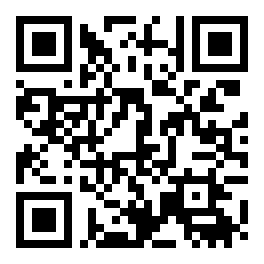 Scan to download ace55.apk
App vs Web Browser — What Changes?
Both the ace55 app and the mobile website give you the full game lobby. But the app does a few things better for everyday use on Android in Bangladesh.
| Feature | ace55 App (APK) | Mobile Browser |
|---|---|---|
| Push notifications for match odds | Yes — live alerts | No |
| Fingerprint / PIN login | Yes | No |
| Works when site is blocked by ISP | Yes — direct connection | May need VPN |
| One-tap bKash / Nagad deposit | Yes | Manual entry needed |
| Live score widget on lock screen | Yes | No |
| Game lobby (slots, live casino, crash) | Full — 2,900 games | Full — 2,900 games |
| Sports betting (cricket, football) | Yes | Yes |
| Bonus & VIP access | Full access | Full access |
| Data usage per session | Lower — cached assets | Higher — reloads each visit |
| File size / install | 52 MB APK, one-time download | No install needed |
| Automatic updates | In-app update prompt | Always latest version |
Already have an account? Log in here and go straight to the deposit screen after installing the app.
Does Your Phone Support the ace55 App?
Check the table below before you download. If your Android version is 8.0 or above, you are good to go. The app is free and works on most mid-range Bangladeshi handsets.
| Parameter | Detail |
|---|---|
| App Name | ace55 |
| Current Version | 3.5.5 |
| File Name | ace55.apk |
| File Size | 52 MB |
| Minimum Android Version | Android 8.0 (Oreo) |
| Last Updated | 9 November 2026 |
| Price | Free |
| Interface Languages | English & Bangla |
| iOS Support | No native app — use "Add to Home Screen" in Safari (see guide below) |
| Permissions Required | Storage, Internet, Notifications (optional) |
No Google Play listing — the APK installs directly on your device. This is normal for licensed casino apps in Bangladesh.
Safe & Secure to Install
The ace55 APK is scanned and signed before every release. Here is what the app does and does not access on your device.
SSL on Every Request
All traffic between the ace55 app and our servers runs over TLS 1.3. Your account credentials and payment details are encrypted end-to-end. The app never stores your bKash PIN or Nagad password locally — it only holds an authenticated session token that expires on logout.
What Permissions We Request
The app asks for Storage (to save the APK update file), Internet access, and optional Notifications for odds alerts. It does not request access to your Contacts, Camera, Microphone, or Location. If you see any other permission prompt during install, do not proceed and contact live chat.
Signed APK — Verify Before Install
Only download ace55.apk from this page or the official link shared by our support team. The file is digitally signed; Android will warn you if the signature has been tampered with. Never install a version from a third-party Telegram group or unofficial mirror site — those may be modified.
Account Security Inside the App
Enable fingerprint login from Settings → Security after your first login. You can also set a 6-digit PIN as a backup. For withdrawals above ৳10,000, the app will ask for your KYC-verified identity. Complete KYC once, and all future withdrawals process within 38 minutes.
What You Can Play Inside the ace55 App
The app gives you access to the same 2,900-game lobby as the full website. Here are the main categories.
 Slots
Treasures of Aztec
Playtech · RTP 97.0% · From ৳2
 Live Casino
Double Exposure Blackjack
Playtech · RTP 96.3% · From ৳1
Slots — 2,900+ Titles
Play Treasures of Aztec, Blocky Blocks, Aladdin, Mahjong Ways 2 and hundreds more from JDB, JILI, Playtech, CQ9 and Habanero. Min bet ৳1. All games load in under 3 seconds on a standard mobile data connection.
Live Casino — Real Dealers
Ezugi and Playtech stream live Baccarat, Roulette and Blackjack with Bengali and English-speaking hosts. Tables run around the clock. Bet from ৳1 and join mid-shoe without waiting for a seat to open.
Crash Games — Fast Rounds
JILI Crash runs with an RTP of 97.7% — the highest in our lobby. Each round lasts under 60 seconds. Set an auto-cashout multiplier so you never miss the exit point. Minimum bet ৳2 per round.
Cricket & Sports Betting
Follow BPL, IPL, T20 World Cup and ODI series with in-play odds. The app shows ball-by-ball updates on the bet slip. Pre-match and live markets available for cricket, football, kabaddi and more Bangladeshi fan favourites.
Fishing Games
Jackpot Fishing (JILI), Bombing Fishing (JDB) and Fierce Fishing (Habanero) are arcade-style shooting games where your payout depends on the fish you catch. Bet from ৳2. Popular with players who want something different from slots.
Deposits & Withdrawals
Add funds via bKash, Nagad, Rocket, Upay or Bank Transfer without leaving the app. Minimum deposit ৳250, credited in about 1 minute. Withdrawal requests process in around 38 minutes. Need help? See the deposit guide.
Install on Android — Step by Step
The whole process takes about 3 minutes. You only need to allow "Unknown Sources" once — the setting stays on after your first APK install.
-
1
Allow Unknown Sources
Go to Settings → Apps → Special App Access → Install Unknown Apps. Find your browser (Chrome, Firefox) and tap Allow from this source. On some Samsung phones the path is Settings → Biometrics and Security → Install Unknown Apps. This one-time change lets your device install APK files downloaded outside the Play Store.
-
2
Download ace55.apk
Tap the Download APK — Free button on this page. Your browser will save
ace55.apk(52 MB) to your Downloads folder. The file transfer usually completes in under 30 seconds on a 4G connection. Do not download from any other source — only use the link on this page or one sent by our official live chat team. -
3
Open the APK File
Pull down your notification shade and tap the completed download, or open your Files app and navigate to Downloads → ace55.apk. Android will show an install confirmation screen listing the permissions the app requests. Review them — you should only see Storage, Internet, and optional Notifications. Tap Install to proceed.
-
4
Wait for Installation
Installation takes 10–20 seconds. When you see "App installed", tap Open to launch ace55 immediately, or find the icon on your home screen and app drawer. If Android shows a Play Protect warning, tap Install anyway — this is expected for sideloaded APKs and does not mean the file is harmful.
-
5
Log In or Register
If you already have an ace55 account, enter your username and password on the login screen. New to ace55? Tap Register inside the app or visit ace55-register. Registration takes about 90 seconds. Once logged in, make your first deposit of at least ৳250 via bKash or Nagad to claim the welcome bonus.
iPhone Users — Add ace55 to Your Home Screen
There is no iOS App Store version of ace55. iPhone and iPad users can pin the mobile website to the home screen as a full-screen shortcut — it looks and behaves like an app.
Steps for Safari on iOS
ace55.mobi in Safari — not Chrome, because only Safari supports "Add to Home Screen" with full-screen mode on iOS. Make sure the page loads fully before the next step.
Download the APK Now
No account yet? Create one at ace55-register — it takes 90 seconds.
Only download the ACE55 APK from this page. Third-party sources may distribute modified versions. Scan with your antivirus app after downloading if you want extra reassurance.
Fix Common Installation Problems
Most errors during APK install have a simple fix. Check the table below before contacting live chat.
| Problem | Likely Cause | How to Fix |
|---|---|---|
| "Install Blocked" message | Unknown Sources not enabled for your browser app | Fix →Go to Settings → Special App Access → Install Unknown Apps, then enable your browser. Try the install again. |
| "App Not Installed" error after tapping Install | Corrupt or incomplete APK download; or an older version of the app is conflicting | Fix →Delete the existing ace55 app if installed, clear your browser's download queue, re-download ace55.apk from this page, then install fresh. |
| App crashes immediately on launch | Android version below 8.0, or not enough free storage on the device | Fix →Check Android version in Settings → About Phone. Free up at least 200 MB of storage space. Restart your phone and open the app again. |
| Play Protect blocks the install | Google's default security scan flagging an unsigned or unknown APK source | Fix →Tap "Install anyway" on the Play Protect warning screen. This is expected for APKs distributed outside the Play Store. The file is safe if downloaded from this page. |
| Login fails after install — "Invalid credentials" | Wrong username or password entered; account not yet created; or Caps Lock on mobile keyboard | Fix →Use the "Forgot Password" option on the login screen to reset via SMS. If you do not have an account yet, register here first — it takes under 2 minutes. |
Problem not listed above? Open our 24/7 live chat inside the app (bottom-right icon) or from the main website. Our support team typically responds in under 2 minutes.
Questions About the ace55 App
Is the ace55 APK safe to install on my Android phone?
Why does Android show a "Play Protect" warning when I install?
How do I update the ace55 app to the latest version?
Can I use the same account on both the app and the website?
What is the minimum deposit I can make through the app?
Does the app work without Wi-Fi on a mobile data connection?
Is there an ace55 app for iPhone or iPad?
Gambling involves financial risk. Only play with money you can afford to lose. If gambling is affecting your daily life, seek help immediately. The ace55 app includes self-exclusion and deposit limit tools — find them in Settings → Responsible Gaming.